🎉 ScreenToGIF successfully installed
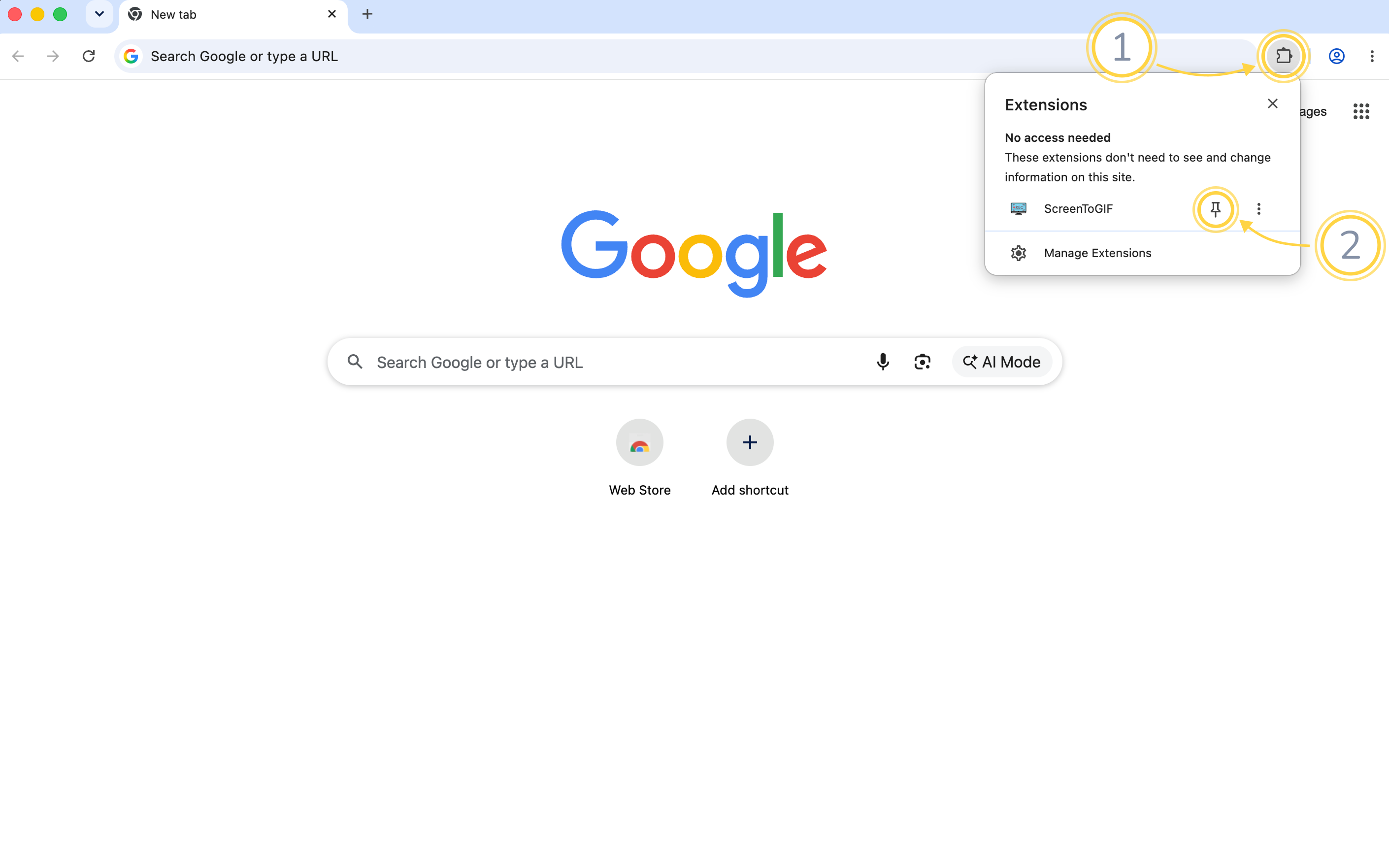
Click the puzzle piece (1) in the top-right of your browser, then click the little pin (2) next to ScreenToGIF:
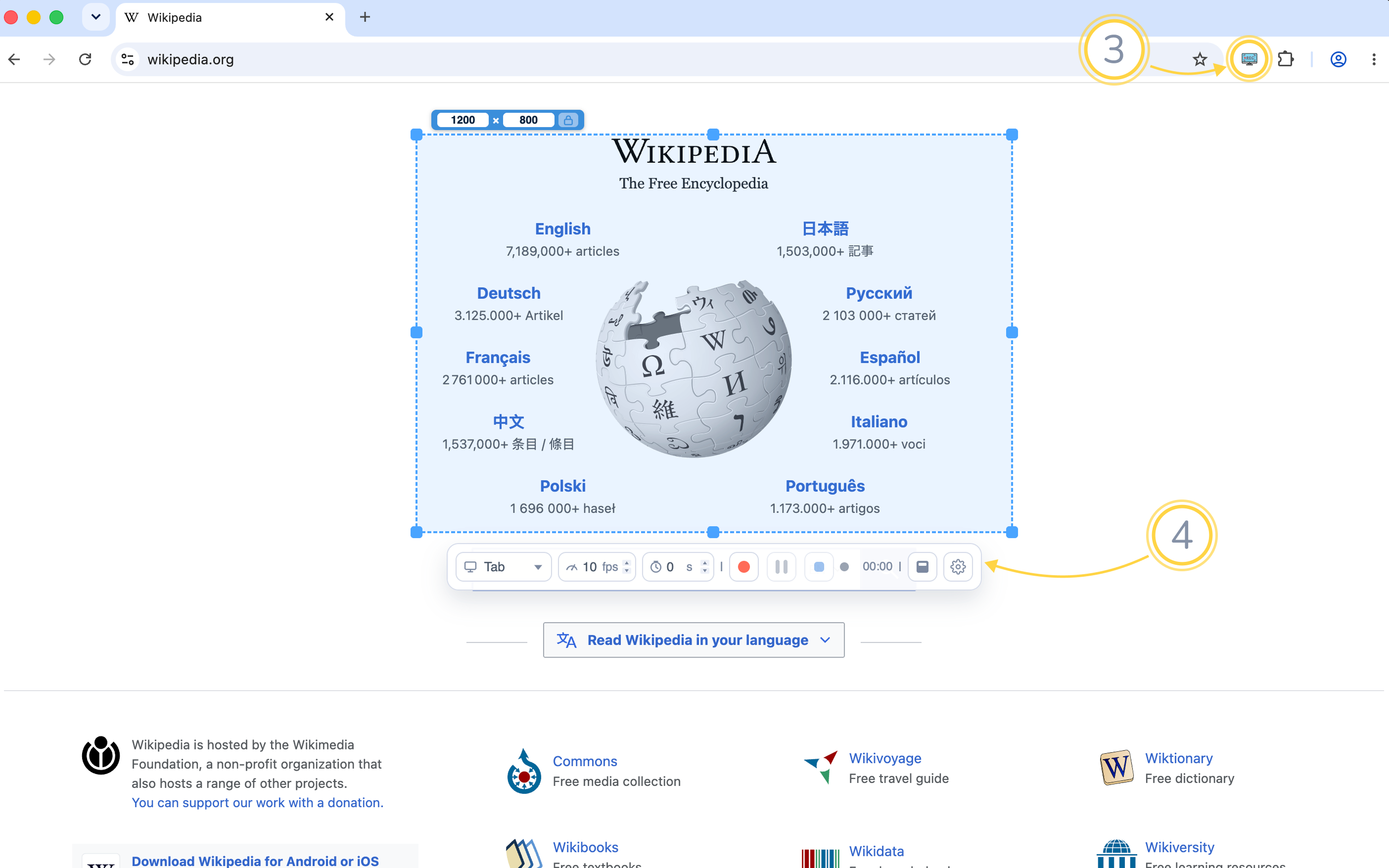
Click the pinned ScreenToGIF icon (3) on any website — the recording bar (4) appears, ready to capture your screen: